What is the journal in Steady Deen?
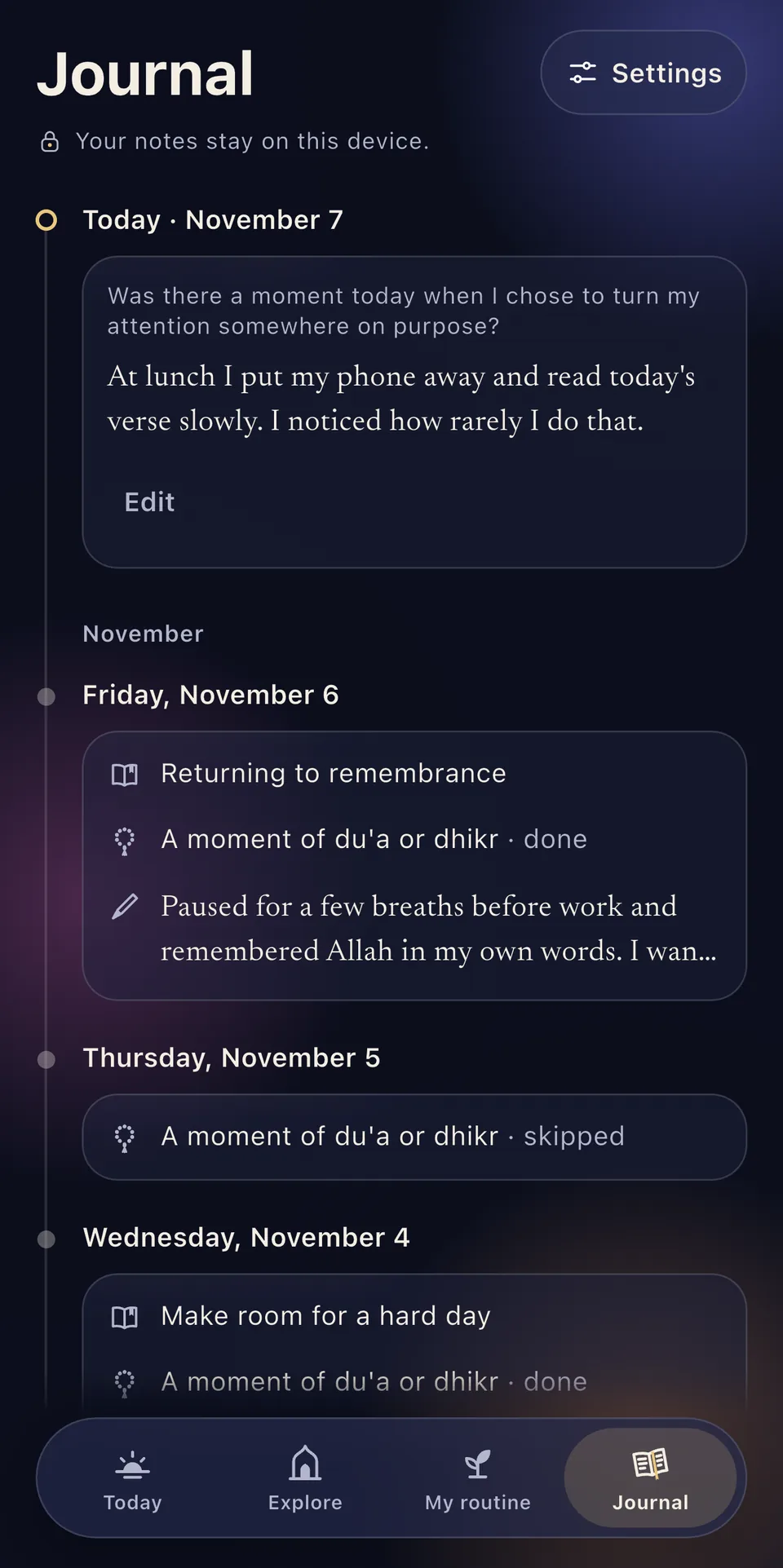
The journal is a private record of your days, kept by date in the app’s Journal tab. It gathers three things: the readings you marked as read, your routine entry and one note of your own. A break shows as a line of its own. Apart from today, a day with no entry is not listed.
There is one note per day, and it is optional. You can write it on the Today screen, on the reading itself or in the Journal tab, where a note can be up to 2,000 characters. One question sits above the note. For today, the question comes from the day’s reading; each reading has its own. For a past day it is a general one: “Did you have a short moment for yourself today?”
The day’s reading is sometimes a Quran verse and sometimes a short reflection; Sources and licenses explains where the readings come from. The note belongs to the day, not to a verse, and Steady Deen is not a full Quran reader.
Your draft is saved as you type. You can edit a note later, or open it and choose “Delete note”.
Where are my journal entries stored?
On your iPhone. Your notes, practice records and preferences are kept in an encrypted database on your phone. The encryption key is created on your device and stored in the iOS Keychain. The app does not send this data to us, and we have no server that receives it. So we cannot read your entries, and we cannot recover them if your phone is lost or the app is deleted.
Steady Deen has no account and no cloud sync. Your notes are never part of the anonymous usage statistics the iPhone app can send, and the Home Screen and Lock Screen widgets never show them. The Privacy Policy has the full list of what is stored. To see for yourself what an app collects before you install it, read how to check an app on the App Store.
The app makes no backup of its own. Depending on your device settings, your iCloud or computer backup may include the app’s encrypted data, and restoring that backup may bring your entries back. We can’t guarantee this. To keep a copy, export before you switch phones.
How do I export or delete my journal?
Both are in the app under Settings › Data management.
To export, tap “Preview and share”, then “Share or save the file”. As of November 2026 (version 1.1), the export is one Markdown text file (.md) with all your entries, notes included. There is no PDF, CSV or JSON export. The file is plain text and not encrypted, so be careful where you save it. An exported file can’t be imported back into the app.
To delete all your entries in the app, tap “Delete all” under “Delete all records” and confirm. Your notes, records, preferences and reminder settings are removed from the phone, and the app returns to its initial state. Your choice about anonymous usage statistics is kept. This can’t be undone. It does not cancel a subscription, and it cannot reach exported files, device backups or anything that has already left your phone. Export or delete your data lists what deleting covers and what it does not.
How does My routine work?
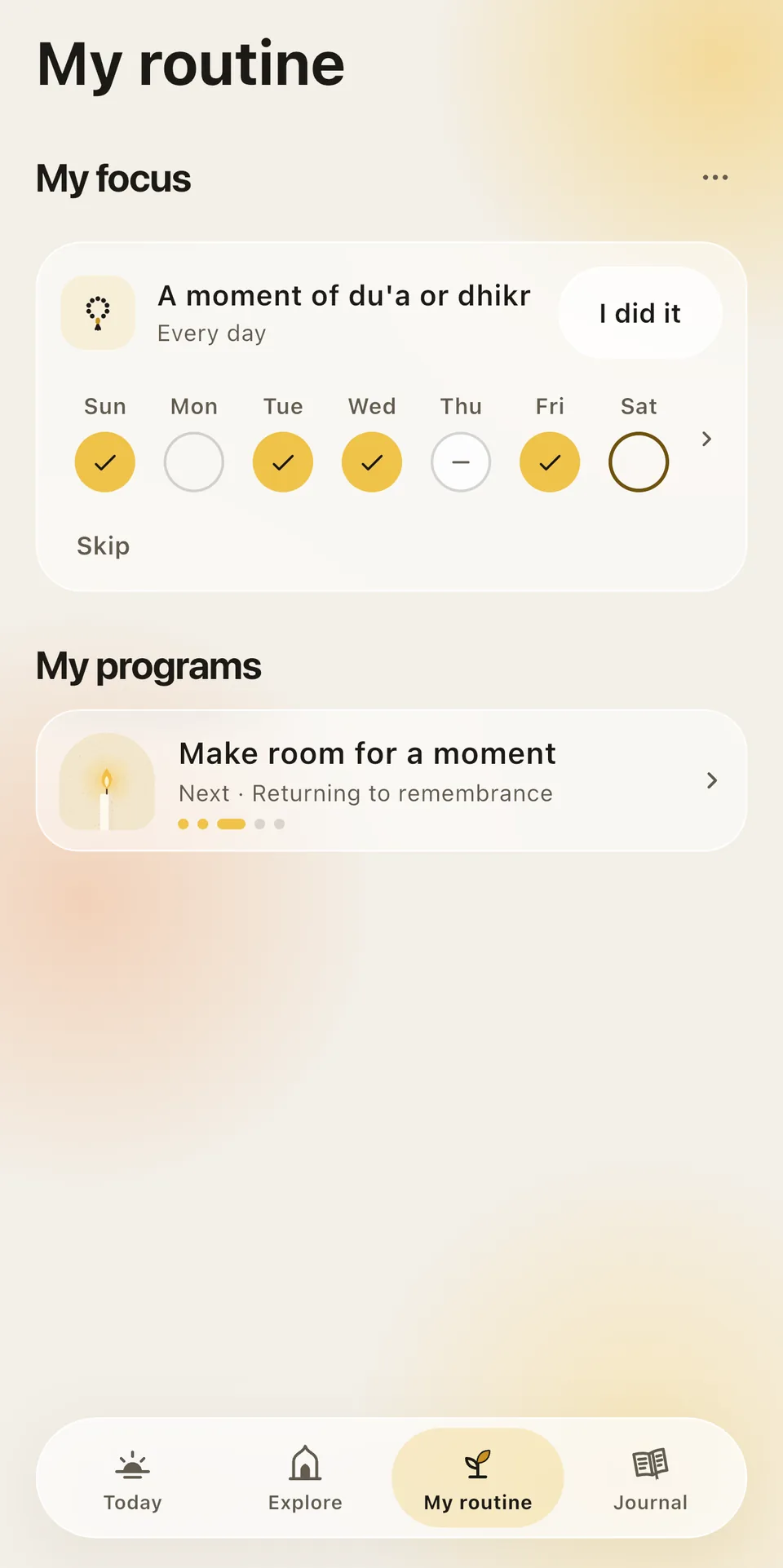
My routine holds one focus at a time, not a list of habits. You pick one of four suggestions, such as “A moment of du’a or dhikr” or “Caring for my prayers”, or write your own goal, and choose which days of the week it applies to.
On a planned day you tap “I did it” or “Skip”. Skipping is a normal choice. Under the focus, a strip shows the last seven days, ending with today.
| In the strip | Meaning |
|---|---|
| Filled circle with a check mark | Done |
| Circle with a dash | Skipped |
| Empty ring | No entry |
| One thin line | Days in a break |
The strip shows no day count and no percentage. Tap it to open “Previous days”, where you can add, change or remove an entry for any of the last 7 days, except days in a break.
“Take a break” pauses your reminders, with no reason needed, and no entries are expected during it.
Why are there no streaks?
Because a missed day is not a failure. Steady Deen has no streak counter, no points, no levels, no badges and no percentage ring that grades your days. An empty day is just an empty day.
A record in an app is not a measure of anyone’s worship, and we did not want a number on the screen to suggest that it is. This is one of the principles on the about page.
A few progress marks exist elsewhere in the app. The morning and evening adhkar show how many you have read today. The dhikr counter and the Lock Screen Dhikr widget show your count against a target, if you set one. The Prayer times widget shows the time left until the next prayer, and a guided program shows which step you are on. None of them counts consecutive days or scores your practice.
What does the journal not do?
As of November 2026 (version 1.1), the journal and My routine are small on purpose. They do not have:
- Photos or voice notes.
- More than one note per day, tags or search.
- Mood tracking or a rating scale.
- Several habits at once.
- A check-off list for the five daily prayers. “Caring for my prayers” is one general focus, and prayer times are shown without “prayed” or “missed” marks.
- A separate passcode or Face ID lock for the journal. Someone who can unlock your iPhone and open the app can read your notes.
Is the journal free?
Yes. The journal, My routine, export and delete are free, with no time limit. Steady Deen is free to download, with an optional subscription (Steady Deen Plus) and optional one-time tips. Plus opens three guided programs in full; one guided program is free, and so is step one of each of the others. Nothing in the journal or My routine changes with Plus. Steady Deen Plus and subscriptions has the details.